Install apache on Ubuntu LTS 24.04

Install apache on Ubuntu in 3 steps

Share
Install apache on Ubuntu LTS 24.04
  1.  Update the Ubuntu systemYou can do that with the command in the Command line.
sudo apt update && sudo apt upgrade -y
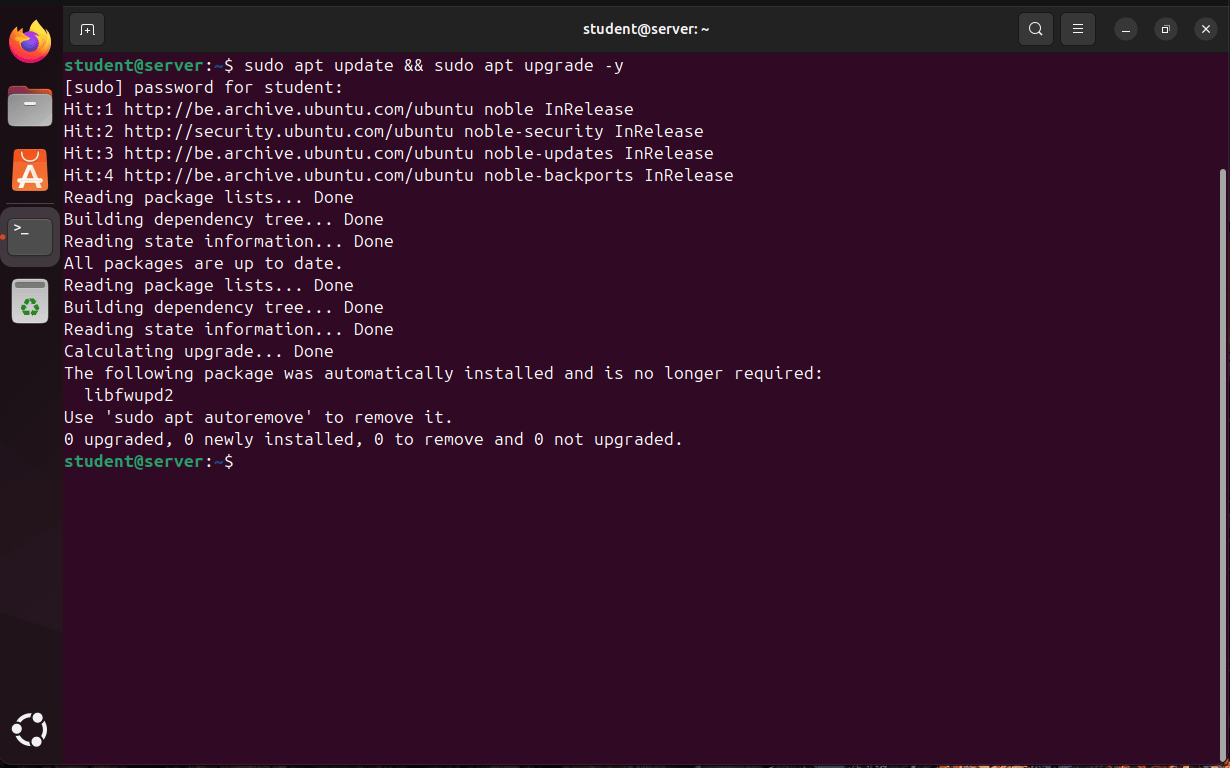
Screenshot of an Ubuntu 24.04 desktop showing the Terminal application after running sudo apt update && sudo apt upgrade -y. The output indicates that all packages are up to date, with no packages upgraded, installed, or removed. The terminal prompt returns to student@server:~$, confirming the update process completed successfully.
  1. Install Apache for Ubuntu LinuxIn Ubuntu is the apache package called Apache2.For Fedora it’s httpd.
sudo apt install apache2 -y
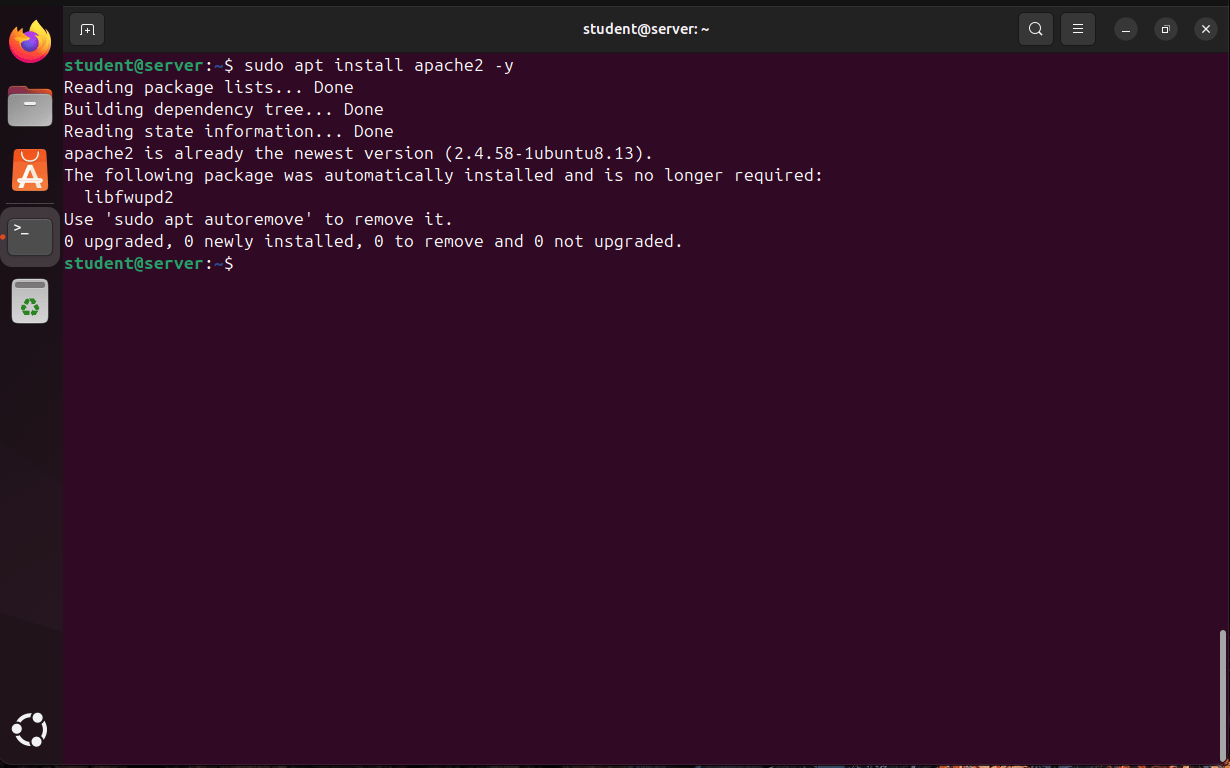
Screenshot of an Ubuntu 24.04 Terminal window showing the command sudo apt install apache2 -y. The output confirms that Apache2 version 2.4.58 is already installed and up to date, with no new packages installed, removed, or upgraded. The command prompt returns to student@server:~$, indicating the installation check completed successfully.
  1. See if Apache runsYou see if the package runs by typing the next command or going to your web browser and search for http://localhost.
sudo systemctl status apache2
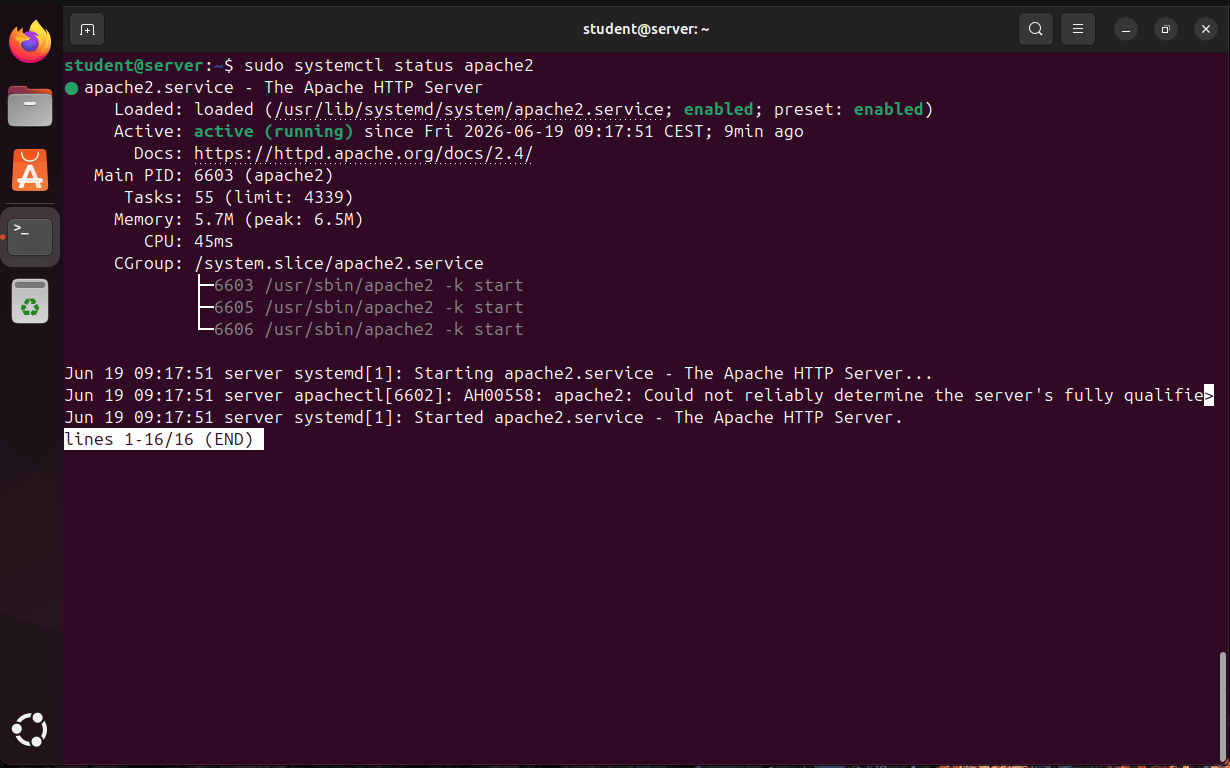
Screenshot of an Ubuntu 24.04 Terminal window displaying the output of sudo systemctl status apache2. The status shows the Apache HTTP Server (apache2.service) is loaded, enabled, and actively running. Details include the service process ID, memory usage, CPU time, and startup logs confirming that Apache started successfully. The terminal highlights Active: active (running) and Enabled: enabled, indicating the web server is operational and configured to start automatically at boot.

Active: means that it is running on the computer.

Enabled: means that it automatically startups as the computer boots
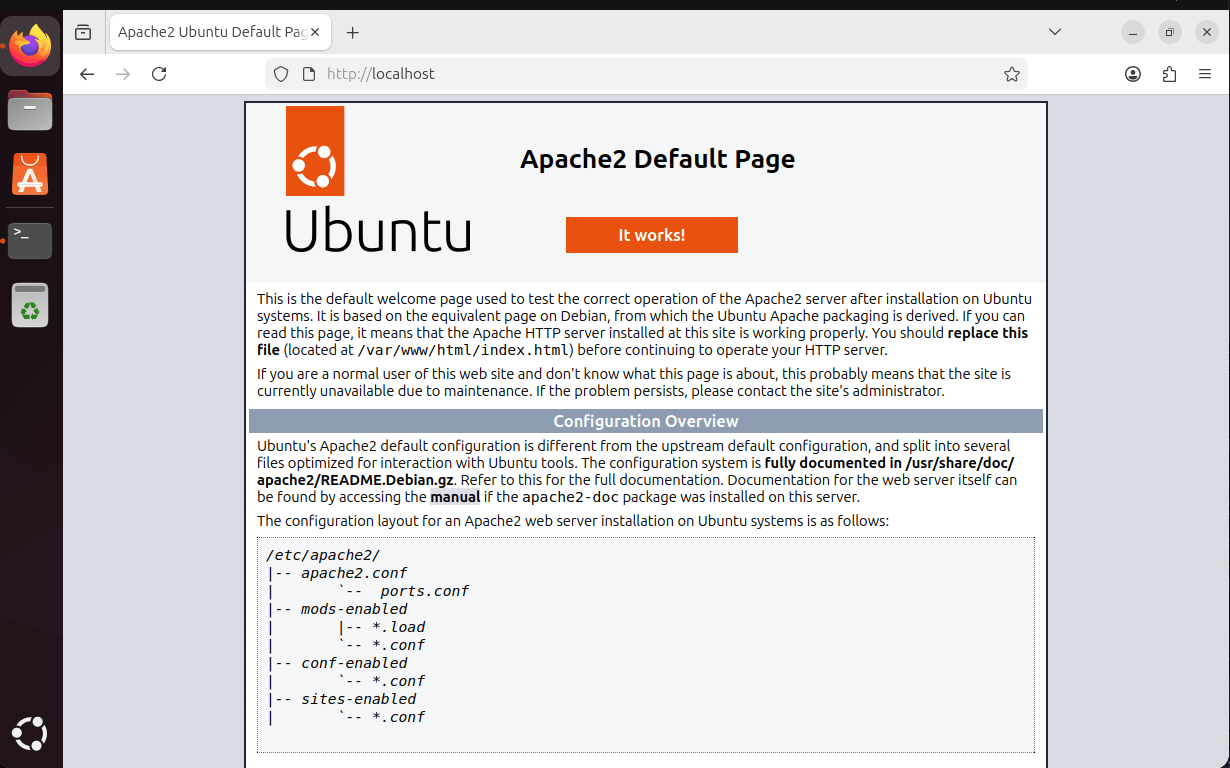
Screenshot of the Firefox web browser on Ubuntu 24.04 displaying the Apache2 Default Page at http://localhost. The page shows the Ubuntu logo, the heading “Apache2 Default Page,” and an “It works!” message, confirming that the Apache web server is installed, running correctly, and serving web pages on the local system.